
Master digital video shooting and editing. Learn from experts to create professional content and enhance your film-making and editing skills.
3 day course 10am - 5pm Live Online or Classroom-based
What you will learn
- Exploring video marketing techniques that improve your product.
- How to plan your video content effectively.
- Understanding best methods for distribution on media sites.
- How to use different camera and audio set ups to improve video design.
- Exploring tips to improve video from start to finish.
- How to edit using Adobe Premier.
- Understanding content design and the important of visual planning.
Related Courses
This Video Production - Shooting and Editing course includes
-
 Authorised Certificate
-
 Lifetime support after your course
-
 Course materials
-
 Live Instructor-led training
-
 Refreshments all day
-
 Latest Mac or PC ready to go
-
 Authorised Trainers
-
 Hands-on exercises
Book this course
We offer Video Production - Shooting and Editing as a private course.
You can select a date which suits you or your team.
The course content can be fully customised to your exact learning requirements.
Request datesVideo success stories





















Course Outline for Video Production - Shooting and Editing
Understanding Pre-Production Essentials
- Defining audience, purpose, and content style
- Crafting idea outlines, treatments, and shooting scripts
- Developing camera and lighting plans
- Creating production schedules and checklists
- Conducting effective research and location scouting
Mastering Production Techniques
- Ensuring technical quality: sound, lighting, and white balance
- Utilising tripods for stable shots
- Composing well-framed and balanced shots
- Capturing B-roll, cut-aways, and establishing shots
- Maintaining continuity and thinking in shot sequences
Camera Work and Composition
- Practising various camera shots and moves
- Applying the Rule of Thirds for balanced composition
- Understanding focus techniques and depth of field
- Mastering essential camera controls
- Adapting to different lighting conditions
Setting Up Professional Interviews
- Implementing basic lighting setups for indoor and outdoor shoots
- Choosing and using appropriate microphones
- Avoiding common interview pitfalls
- Developing effective interviewing skills
Hands-On Shooting Experience
- Practising vox pops, interviews, and B-roll capture
- Applying learned techniques in real-world scenarios
Introduction To Post-Production with Adobe Premiere Pro
- Navigating the Premiere Pro interface
- Organising and managing media files efficiently
- Creating rough cuts and refining edits
- Utilising essential editing tools and shortcuts
- Implementing audio adjustments and mixing techniques
Enhancing Video with Effects and Graphics
- Adding and customising video and audio transitions
- Applying basic video effects for visual enhancement
- Creating captions and titles for professional polish
Finalising and Exporting Projects
- Rendering sequences for smooth playback
- Exporting videos in appropriate formats for various platforms
Review of Industry Trends
- Exploring mobile video production techniques
- Understanding vertical video for social media platforms
- Implementing basic colour grading for enhanced visual appeal
FAQs about the Video Production - Shooting and Editing course
Is this Digital Video Introduction - Shooting and Editing course suitable for beginners with no prior video production experience?
Yes, this Digital Video Shooting and Editing course is designed for beginners. It covers foundational skills such as pre-production planning, camera work and basic editing techniques. Attendees will leave with the confidence to shoot and edit professional-looking videos for a variety of purposes.
How is the content taught throughout the Digital Video Introduction - Shooting and Editing course?
Our Digital Video Introduction - Shooting and Editing course is extremely interactive. You will be using Digital Video tools throughout the day, working through examples and live projects under the guidance of our trainer, who will be supporting you through each step.
What is the recommended number of people for the class when I attend the Digital Video Introduction - Shooting and Editing course?
For private classes in Digital Video Introduction - Shooting and Editing, we recommend a maximum of 8 to 10 people from the same company in the class. Please ask our customer service team to help you find the right balance of people per class and the number of days training you need.
Should I attend the Digital Video Introduction - Shooting and Editing course in person or live online?
For in-person courses at our London training centre, you will receive a warm personal welcome, your choice of the latest Mac or PC and morning and afternoon refreshments. If you prefer to attend remotely, rest assured that you will be taught live by the same experts that deliver our in-person courses, covering the same training content, using the same exercises and materials. A second monitor is recommended but not essential.
What support is available after I attend the Digital Video Introduction - Shooting and Editing course?
We offer ongoing support to our Digital Video Introduction - Shooting and Editing course attendees through email and by arrangement, phone calls. You are welcome to ask any questions on topics covered during training. Our trainer will always do their best to explain principles and help you with any issues you encounter.
Will I receive a certificate upon completion of my Digital Video Introduction - Shooting and Editing course?
Yes, you'll receive a certificate of completion from Transmedia, demonstrating your knowledge and attendance on our Digital Video Introduction - Shooting and Editing course. Our certificates note our Authorised Training Centre status.
Video Production - Shooting and Editing — Team and Bespoke Training
Booking a private training session allows you to focus on your exact needs on dates that work best for you or your team.
- Sessions can be run online or in person, on your site or at our London training centre.
- We manage training for many of the UK’s largest companies, taking care of all the admin, working with you to ensure the perfect course.
- Our expert trainers will first understand your requirements and then tailor each session to your exact specification.
- We offer a free consultation service to work out every detail of your course.
Private One-to-One Training
One-to-one tuition tailored to your exact requirements. Your choice of duration, dates and content.
Book NowTeam Training for Companies
Group bookings provide you with the most cost-effective way to train your team.
Book Now
Our Clients


Latest Blog Articles
 Investigate video editing for newcomers with Rive Jitter and Runway
 How to get started in digital video shooting and editing
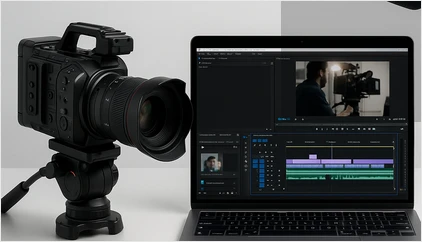 How To Shoot and Edit a Movie in Three Days
Why Transmedia?

Unlimited Training Support
We offer unlimited training support after your course.
Bespoke Training Solutions
Customised training and software solutions based on your exact requirements.
Worldwide Creative Skills Training
Join our authorised training courses live online from anywhere in the world.
Authorised Training Professionals
Our experts are accredited by Adobe, Apple and Claris and bring years of experience and real-world expertise.